
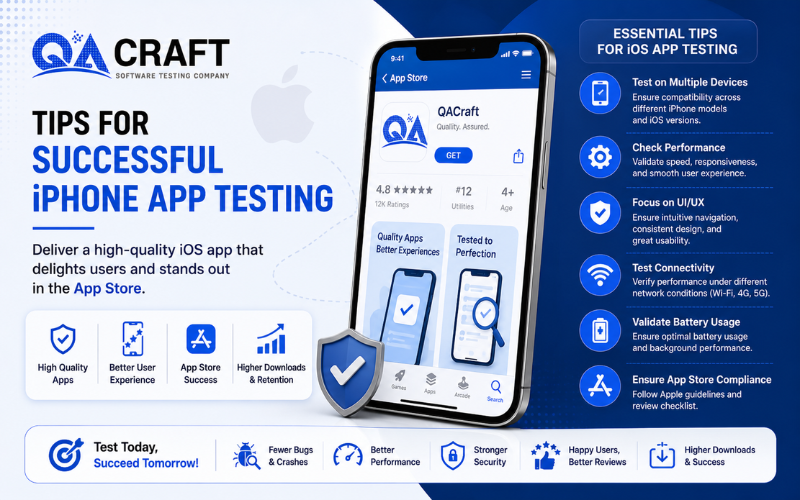
Mobile applications have become an essential part of daily life, and iOS apps are among the most popular applications used worldwide. Businesses invest heavily in iPhone and iPad applications to improve customer engagement, increase revenue, and deliver seamless user experiences.
However, launching an iOS application without proper testing can lead to:
🍁 App crashes
🍁 Poor user experience
🍁 Security vulnerabilities
🍁 Performance issues
🍁 App Store rejection
This is why iOS Application Testing plays a critical role in mobile app development.
Successful iOS app testing helps businesses ensure their applications:
🍁 Work correctly on Apple devices
🍁 Deliver smooth user experiences
🍁 Remain secure and stable
🍁 Meet App Store guidelines
🍁 Perform efficiently under different conditions
In this blog, we will explore:
📢 What is iOS Application Testing?
📢 Why iOS App Testing is Important
📢 Key Tips for Successful iOS Testing
📢 Important iOS Testing Areas
📢 Real Device vs Simulator Testing
📢 Best Practices for Mobile App QA
What is iOS Application Testing?
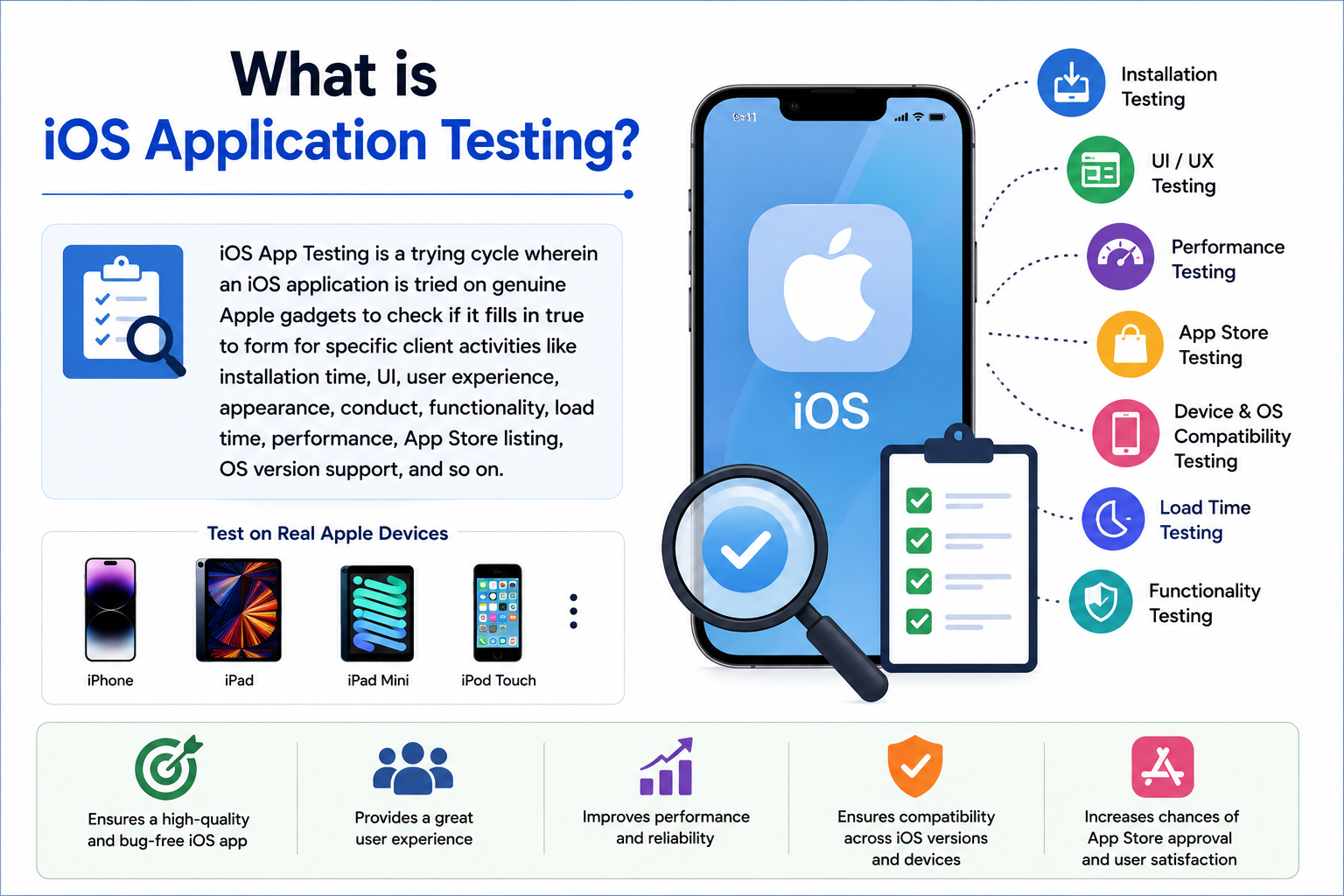
iOS Application Testing is the process of validating iPhone and iPad applications on Apple devices to ensure they work correctly, securely, and efficiently for end users.
iOS app testing validates:
🌵 Application functionality
🌵 UI and UX behavior
🌵 Performance
🌵 Device compatibility
🌵 Security
🌵 Network behavior
🌵 App stability
QA teams test iOS applications across:
🌵 iPhones
🌵 iPads
🌵 Different iOS versions
🌵 Multiple screen sizes
You can also explore:
🏎 Mobile App Testing Checklist
Why is iOS Application Testing Important?
iOS users expect applications to provide:
🌵 Fast performance
🌵 Smooth navigation
🌵 Secure transactions
🌵 Stable user experience
Even a small issue in an iOS application can lead to:
🌵 Negative App Store reviews
🌵 Reduced downloads
🌵 Revenue loss
🌵 Poor brand reputation
Proper iOS testing helps businesses:
🌵 Improve app quality
🌵 Improve customer satisfaction
🌵 Reduce crashes and bugs
🌵 Increase App Store approval chances
Testing also ensures applications work properly across:
🌵 Different Apple devices
🌵 Various iOS versions
🌵 Different network conditions
Key Tips for Successful iOS Application Testing
Below are some important tips for effective iOS app testing.
1. Test on Real Apple Devices
Testing on real devices is one of the most important practices in iOS application testing.
Real-device testing helps validate:
🌵 Touch gestures
🌵 Camera functionality
🌵 GPS behavior
🌵 Notifications
🌵 Battery consumption
🌵 Performance
You can also explore:
🏎 Why Real Device Testing Matters
Although simulators are useful for initial testing, real-device validation helps identify real-world issues more accurately.
2. Validate User Experience Carefully
User experience is one of the biggest success factors for iOS applications.
QA teams should validate:
🌵 Smooth navigation
🌵 UI consistency
🌵 Button responsiveness
🌵 Font readability
🌵 App responsiveness
Applications with poor user experience often receive negative ratings and uninstallations.
You can also explore:
3. Perform Compatibility Testing
Apple releases new devices and iOS versions regularly. Applications should work smoothly across:
🌵 iPhones
🌵 iPads
🌵 Different iOS versions
🌵 Multiple screen resolutions
Compatibility testing helps ensure applications behave consistently across all supported devices.
You can also learn:
🏎 Mobile App Testing vs Web App Testing
4. Test Network and Connectivity Behavior
Mobile users access applications under different network conditions, such as:
🌵 Wi-Fi
🌵 4G/5G
🌵 Slow internet
🌵 Network interruptions
QA teams should validate:
🌵 API responses
🌵 Synchronization
🌵 Offline behavior
🌵 Retry mechanisms
You can also explore:
5. Validate Application Performance
Performance testing is extremely important for mobile applications.
Slow applications can negatively impact:
🌵 User retention
🌵 Customer satisfaction
🌵 App Store ratings
QA teams should validate:
🌵 App launch time
🌵 Screen loading speed
🌵 Battery usage
🌵 Memory consumption
🌵 Multitasking behavior
You can also explore:
6. Test GPS and Location Features
Many iOS applications use:
🌵 GPS
🌵 Maps
🌵 Location tracking
🌵 Geolocation services
QA teams should validate:
🌵 Accurate location tracking
🌵 GPS permissions
🌵 Real-time location updates
🌵 Background location handling
Apple provides built-in tools for simulating GPS behavior, making location testing easier compared to many Android environments.
7. Validate App Store Guidelines
Apple has strict App Store submission guidelines.
Applications should comply with:
🌵 UI standards
🌵 Privacy policies
🌵 Security requirements
🌵 Permission handling
🌵 Performance standards
Failure to comply may result in:
🌵 App rejection
🌵 Delayed releases
QA teams should carefully validate App Store compliance before submission.
8. Perform Security Testing
iOS applications often handle sensitive customer information, such as:
🌵 Login credentials
🌵 Payment information
🌵 Personal data
🌵 Security testing helps identify:
🌵 Vulnerabilities
🌵 Unauthorized access
🌵 Data leakage risks
You can also explore:
🏎 Data Privacy Compliance Testing
9. Use Automation Testing for Repetitive Scenarios
Automation testing helps QA teams improve:
🌵 Test coverage
🌵 Execution speed
🌵 Regression testing efficiency
🌵 Automation is highly useful for:
🌵 Regression testing
🌵 Smoke testing
🌵 Repetitive workflows
You can also explore:
Common Challenges in iOS Application Testing
Some common iOS testing challenges include:
🌵 Frequent iOS updates
🌵 Device compatibility validation
🌵 Network behavior testing
🌵 Performance optimization
🌵 App Store compliance validation
Organizations usually combine:
to improve testing coverage and software quality.
Best Practices for iOS Application Testing
To improve iOS app quality, QA teams should:
🌵 Test on real devices
🌵 Validate UI consistency
🌵 Perform security testing
🌵 Test under multiple network conditions
🌵 Automate repetitive test cases
🌵 Validate App Store guidelines
You can also explore:
🏎 Best Mobile App Testing Tools
Conclusion
iOS Application Testing is essential for delivering secure, stable, and high-performing mobile applications.
By validating:
🌵 User experience
🌵 Device compatibility
🌵 Security
🌵 Performance
🌵 Network behavior
🌵 App Store compliance
QA teams can significantly improve software quality and customer satisfaction.
To continue learning mobile testing concepts, you can also explore:
🏎 Mobile App Testing Challenges and Solutions
🏎 Step-by-Step Mobile App Testing Process
🏎 Best Mobile App Testing Tools

