☰
What is k6?
k6 is an open-source, developer-centric performance testing tool for testing the load and scalability of APIs and websites. It’s written in Go and uses JavaScript to define test scripts.
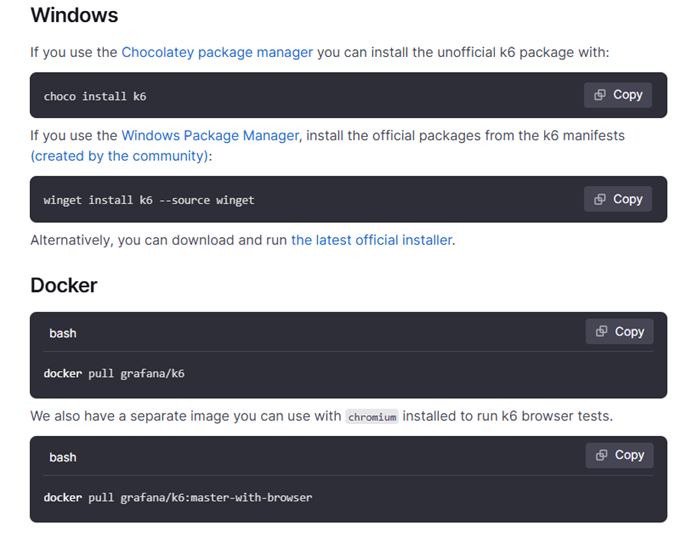
Step-by-Step Tutorial ⟹ Step 1: Install k6 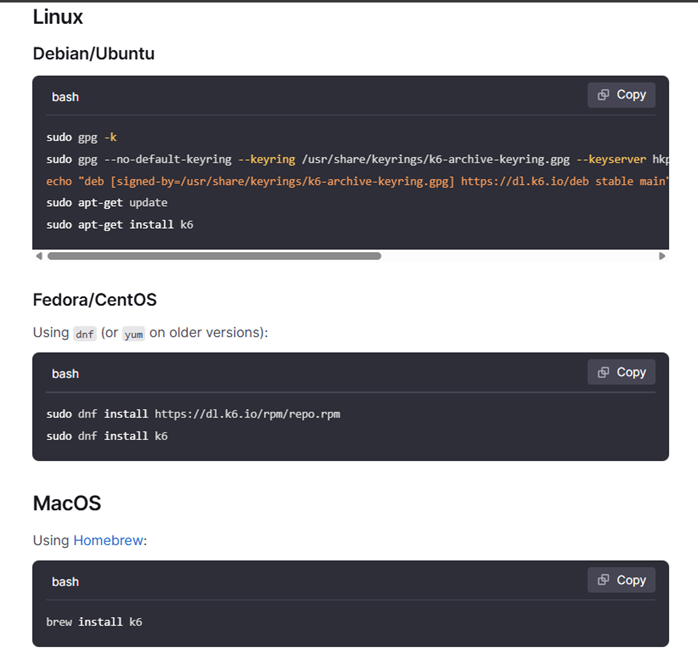
⟹ Step 2: Install Visual Studio Code
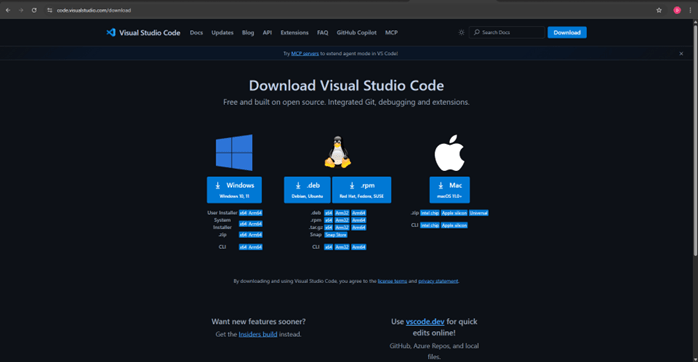
Download and install VS Code from the official website https://code.visualstudio.com/download
⟹ Step 3: Create a k6 project folder and open that folder in VS Code
By right-click:
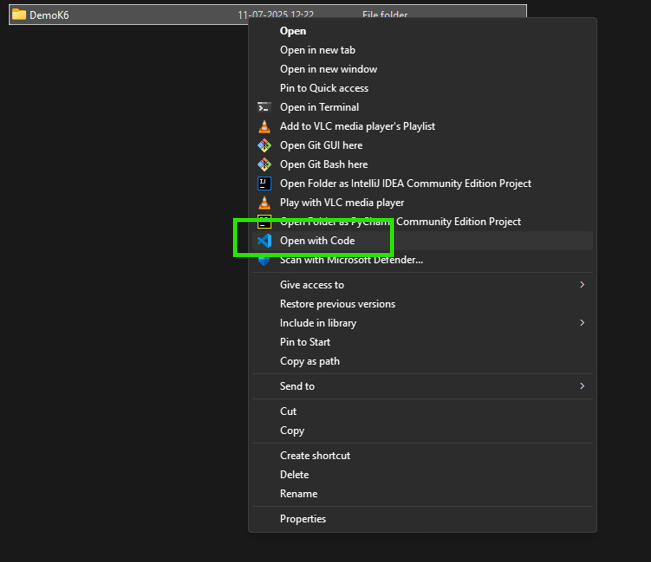 By VS Code: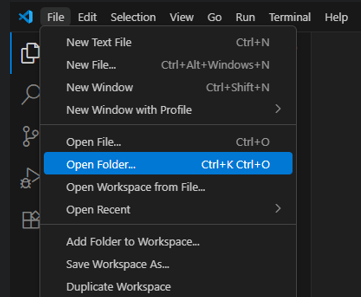
⟹ Step 4. Install VS Code Extensions (Recommended)
| Extension | Purpose |
| JavaScript/TypeScript | Syntax highlighting |
| REST Client (optional) | Test APIs directly from .http files |
| Prettier | Code formatting |
| k6 Snippets (optional) | Quick k6 code snippets |
| ESLint (optional) | JS linting support |
To install: Go to Extensions (Ctrl+Shift+X) → Search and install each.
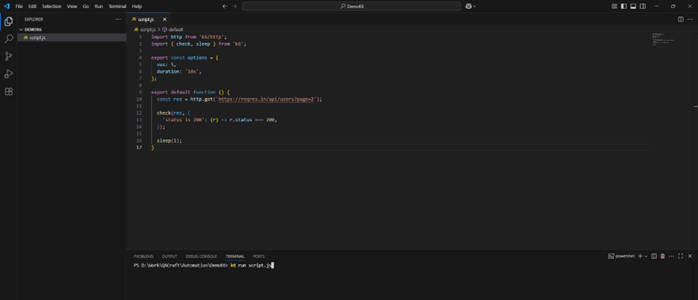
⟹ Step 5: Create your first script
Create a file named script.js
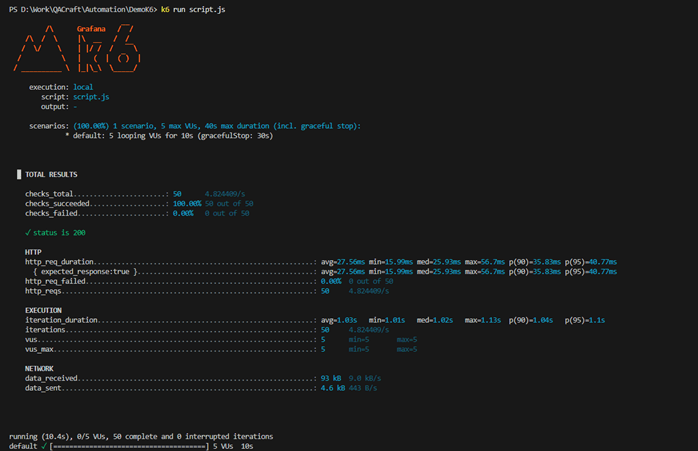
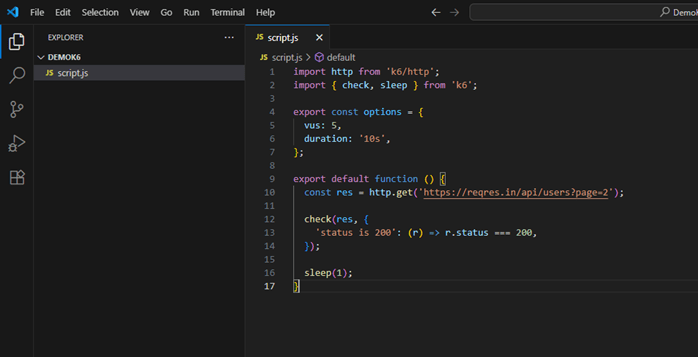 ⟹ Step 6: Run the script using the terminal with the command k6 run script.js
  ⟹ Step 7: Analyse the result